Lauren D'Antonio
·
Planning an office move can feel overwhelming, especially when having to move technology. For many business owners and internal teams, it's not about moving desks and equipment from one space to another, it's about keeping employees productive, avoiding downtime, and making sure your business can continue operating throughout the transition to a new space.
If this is your first time coordinating an office move, make sure to overestimate how much planning goes into relocating your network, the workstations and the technology on them – it's often much more than you'd think!
The good news is that with the right planning, most common technology-related issues can be avoided before move day.
1. Delaying the plan to move the tech equipment until the last stage
A common mistake is focusing on the relocation of the office furniture first and leaving IT move planning until the last minute. Office technology requires coordination well before the move date.
Common issues that happen when there is no plan:
Internet installation not being completed before move-in
Delays in network setup and connectivity
Workstations set up inconsistently across departments
Workstations not being properly configured (for ergonomics and functionality)
Phone systems and shared devices not working correctly
Missing or disorganized equipment and devices during setup
Employees arrive at the office and are unable to work because the technology is not fully operational
These issues can quickly lead to lack of productivity, extended downtime, frustrated employees, and interruptions to daily business operations, especially for companies that rely heavily on technology to do business.
The earlier IT planning begins, the smoother the relocation process becomes and the less troubleshooting will be required.
Things to consider:
Aligning technology requirements with the overall move timeline
Ensuring service providers handling the technology are scheduled well in advance
Understanding how the new office space can accommodate the technology you currently have and if any new purchases are required
Planning workstation layouts and connectivity requirements early
Organizing and doing inventory of IT equipment before the move
Clearly defining responsibilities for setup and readiness checks
Treat IT as a core part of the move, not an afterthought. This will help create a smoother transition for the entire business.
2. Poor Network Design and Scalability Issues in the New Office
Another major problem that can arise during an IT relocation is failing to properly design the network for the new space. Businesses often assume their existing setup can simply be “plugged in” to a new location, but office layouts, user density, and infrastructure limitations can make that approach ineffective.
Common issues:
Weak or inconsistent Wi-Fi coverage in certain areas of the office
Overloaded network switches or routers that cannot handle increased demand
Poor cable management leading to maintenance challenges
Insufficient network ports for workstations, printers, and shared devices
Slow performance due to outdated or incompatible networking equipment
These issues can cause ongoing frustration long after the move is complete, especially when employees constantly experience slow internet, dropped connections, or unreliable access to shared systems. As problems continue to surface, this will build a lot of pressure on the internal IT team. Over time, this can reduce productivity and increase IT support demands.
For businesses that rely heavily on technology to operate daily, even a few hours of downtime can become costly. Address them in advance to avoid unnecessary stress.
How to Reduce the Risk:
Reviewing the new space's infrastructure requirements early
Planning network coverage based on how the office will be used
Addressing the potential limitations of the office layout well in advance before installation
Validating system performance prior to full occupancy
A properly planned network doesn't just prevent issues on day one, it supports scalability, reduces ongoing IT strain, and keeps your team productive as your business evolves.
3. Improper Equipment Handling and Physical Damage During Transit
One of the most preventable issues during an IT relocation is physical damage to equipment due to poor packing, handling, or transport conditions. Even well-functioning systems can fail after a move if they are not protected properly.
Common issues:
Servers, desktops, or monitors being damaged due to improper packing
Hard drives or internal components failing from shock or vibration during transport
Cables and peripherals being lost, tangled, or incorrectly reassembled
Equipment being stacked incorrectly, causing pressure damage
Sensitive hardware exposed to temperature changes or moisture
Items being dropped during loading/unloading due to lack of handling protocols
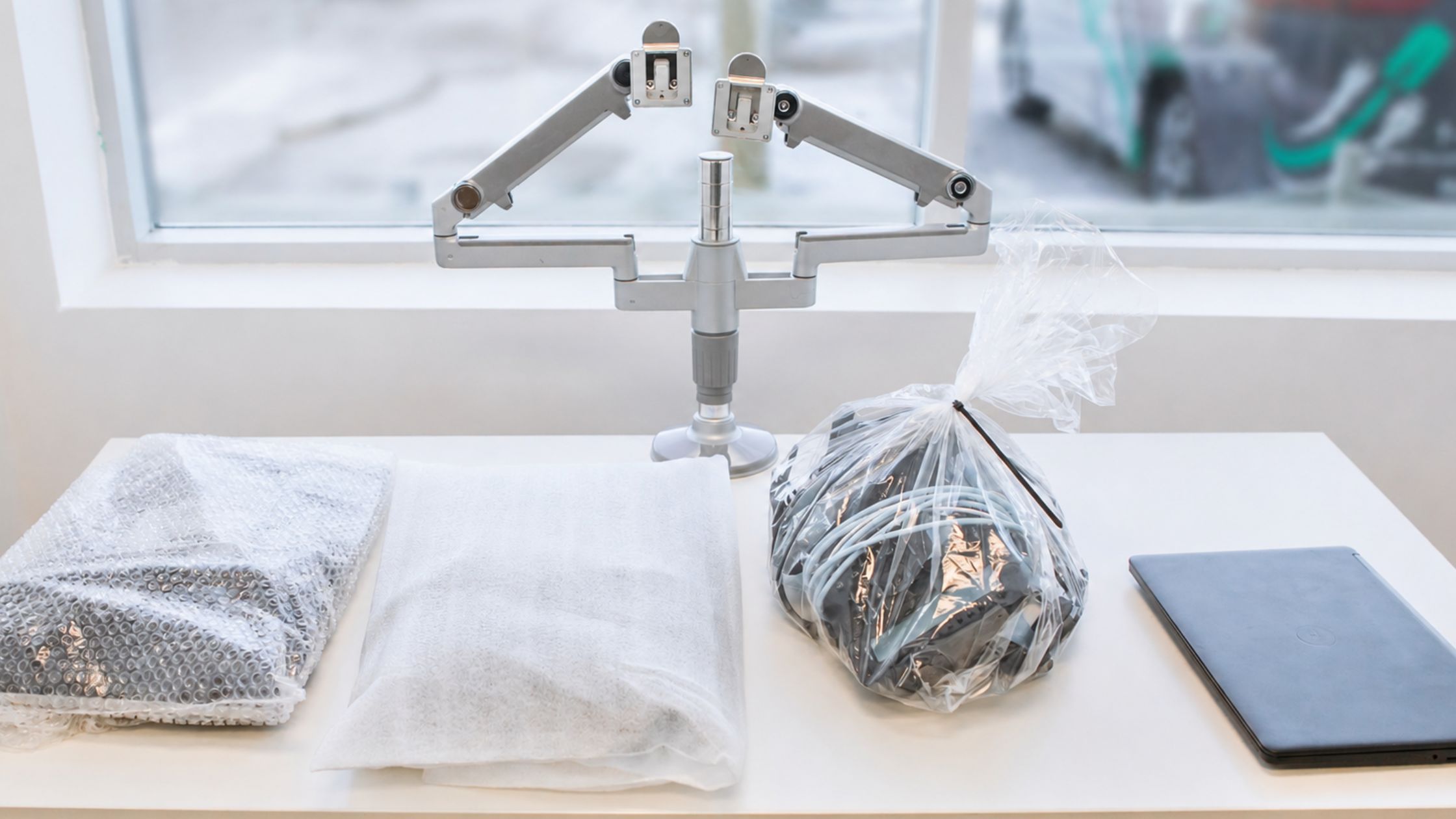
Before any technology gets packed, businesses should make sure the team handling the packing and moving of the technology is doing so with care, using appropriate packing materials and procedures to ensure protection during transport. Use professional commercial movers to minimize these risks. If you need recommendations contact us and we'll connect you with our move partners.
Core Considerations:
Separating sensitive hardware from general office items
Using appropriate protective materials for transport (anti-static bubble wrap, custom foam inserts, etc.)
Ensuring proper handling of equipment throughout the relocation process
Verifying all equipment after delivery and before reconnection
Checking your insurance for transit coverage so any unforeseen damage can be claimed
Proper handling procedures significantly reduce the risk of silent damage to IT equipment that can disrupt operations after the move is complete.
4. Delegating & Labeling
One of the most overlooked parts of an office move is assuming one person or department can manage every detail alone. Without clear delegation and proper labeling, even well-planned office relocations can become unorganized on moving day.
When small teams are unsure of who is responsible for the inventory of equipment, ensuring accuracy to the floor plan/layout, and the coordinated setup of workstations, small issues can create major delays during the transition.
Common Issues:
Boxes and equipment arrive without clear labels
Workstations are set up in the wrong area
Missing cables, peripherals, or accessories during unpacking
Internal IT team is spending extra time identifying devices and reconnecting equipment
Discrepancies between the IT equipment labelling and the floor plan
Overall confusion about what should be unpacked where
These problems can slow down setup processes significantly and create unnecessary downtime for end users during the first few days in the new office.
Clear delegation and detailed labelling help create structure throughout the relocation process and make it easier for both movers and IT teams to work efficiently.
How to Reduce the Risk:
Establish clear responsibilities across teams before the move
Ensure someone is accountable for coordinating technology and setup
Use clear and consistent labeling to support efficient unpacking
Organize equipment in a way that aligns with the new office layout
Prioritize essential systems for early setup and access
Maintain a basic inventory of equipment and assets throughout the move process to ensure everything arrives to the new site
A successful office move is more than relocating desks and equipment, it's about maintaining business continuity, minimizing downtime, and ensuring your technology is fully operational from day one. The earlier businesses plan for IT relocation, workstation setup, and network infrastructure readiness, the smoother the transition will be for both employees and operations.
Unio Tech Solutions specializes in workstation relocation and office technology setup. We set up over 30,000 workstations per year and make sure businesses are ready to welcome their employees to their new workstation on the first day live in the new office.
If your team is planning an office move and needs support managing the technical side of the transition, reach out to us. We're here to help make the process smoother from start to finish.
TAGS:
office move, IT relocation, planning, network design, equipment handling, labeling, workstation, IT support